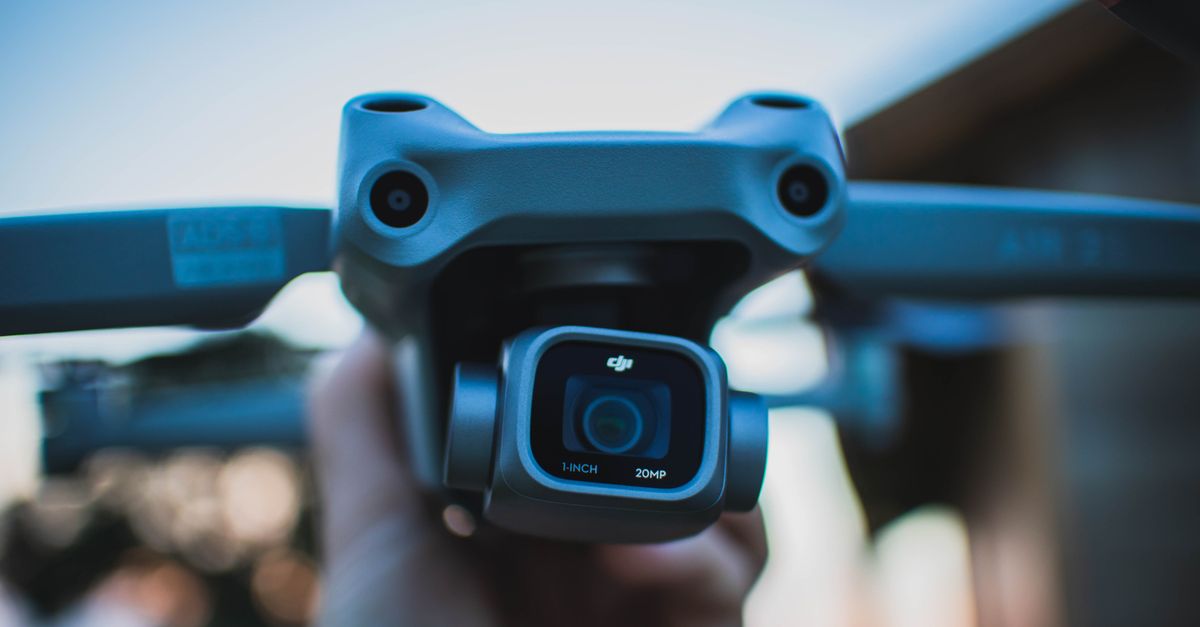
TL;DR: DJI, Autel, and Skydio drones write GPS latitude, longitude, and altitude into the EXIF block of every photo at capture — using the same GPSLatitude, GPSLongitude, and GPSAltitude fields a smartphone uses. Beyond that, DJI writes proprietary XMP fields (drone serial number, gimbal pitch, flight speed, relative altitude) that standard EXIF viewers often miss. To strip drone location data you need a tool that reads both standard EXIF GPS fields and extended XMP telemetry blocks. MetaData Cleaner removes both in one pass without touching the image pixels.
Drone photography puts you in a different position than ground-based shooting. You are capturing wide-area footage of properties, landscapes, and infrastructure from coordinates that are precisely logged in every frame. Before you share those files, understanding what is embedded — and how to remove it — is not optional hygiene. It is professional practice.
What Metadata Does a Drone Actually Embed?
The metadata in a drone photo comes in two layers, and most photographers only know about one of them.
Standard EXIF GPS fields are the same ones a smartphone writes. Every major drone manufacturer — DJI, Autel, Skydio, Parrot — embeds GPS coordinates in the EXIF block using the standard fields: GPSLatitude, GPSLongitude, GPSAltitude, and GPSAltitudeRef. These fields are readable by any EXIF viewer and any platform that processes photo metadata. They record the exact location of the aircraft at the moment of capture, accurate to within a few meters under normal GPS conditions.
Proprietary XMP telemetry is the second layer, and this is where drones diverge from every other camera. DJI writes an extensive block of custom XMP fields into every JPEG and DNG export. According to DJI's own camera developer documentation, these fields include: drone serial number, gimbal pitch and yaw, flight speed, relative altitude above the takeoff point, camera model, and firmware version of the flight controller. This data exists in addition to the standard EXIF GPS block — not instead of it.
The combination means a raw DJI photo tells anyone who reads it exactly where the aircraft was, how high it was flying, which direction it was pointing, how fast it was moving, and which specific drone and firmware version produced the file. That is a level of disclosure most photographers never intended to make.
 Photo by ArtHouse Studio on Pexels.
Why This Matters for Real-World Shoots
The specific risks depend on what you are shooting, but they apply broadly across commercial and professional drone work.
Real estate and property photography. When you photograph a listing from the air, every file carries the property's GPS coordinates. If you share those files — via email, Dropbox, or a delivery platform — anyone who downloads them can extract the property location with a free EXIF reader in seconds. For vacant listings or properties where the owner has privacy concerns, this is a risk they did not consent to. The FAA's drone registration and operating rules require operators to maintain registration information and comply with airspace restrictions, but they place no obligation on metadata disclosure — that is entirely the operator's responsibility.
Infrastructure and restricted airspace. If you hold a Part 107 certificate and fly near airports, power infrastructure, government facilities, or other restricted areas, your drone's flight telemetry documents that you were there. The altitude and GPS data in your files constitute a detailed flight log. Before sharing files from sensitive shoots, stripping this telemetry is standard practice among professional operators.
Client deliverables. When you deliver aerial photos to a client, they are purchasing images — not a flight data record. The gimbal pitch, drone serial number, and relative altitude embedded in your XMP block add no value to the client and reveal details about your equipment and workflow you may prefer to keep private. Delivering clean files is a mark of professionalism, and increasingly an expectation in commercial contracts.
Personal and launch-point privacy. If you fly from your property or a private location, the GPS coordinates embedded in your photos may reflect your home, studio, or a private location you did not intend to disclose. DJI cameras that begin recording immediately after takeoff will embed the launch coordinates in early frames. If those frames are shared, the takeoff location is visible in the file.
How to Remove Location Data from Drone Photos
The process is straightforward whether you are using a DJI Mavic, Mini, Air, or any other GPS-equipped drone.
MetaData Cleaner processes drone files entirely in your browser — no install, no server upload. Your files stay on your device throughout the process. Drag your JPEG or DNG exports into the tool, let it read the full metadata profile including the DJI XMP block, strip the GPS and telemetry fields, and download clean copies. The image pixels are completely unchanged.
For a batch delivery from a full shoot, the process takes under two minutes regardless of file count. The five-step process: open MetaData Cleaner, drag in your files, review the detected metadata, strip the location and telemetry fields, and download clean copies. For a complete pre-delivery workflow including copyright field management, see our guide on how to remove metadata before delivering photos to clients.
 Photo by Dustin Konrad on Pexels.
DNG Files, Video, and Edge Cases
DNG (Digital Negative) files from drones carry the same metadata as JPEGs — sometimes more. The DNG container supports full EXIF GPS fields and DJI's proprietary XMP block in the same structure as JPEG. If you shoot RAW + JPEG simultaneously, both files carry the same location and telemetry data and both need to be cleaned before delivery. Raw file processing tools like Lightroom do not strip EXIF GPS fields by default during export — they preserve them unless you specifically configure a metadata preset to exclude location data.
Video files are a separate case. MP4 and MOV exports from DJI cameras embed GPS coordinates in the video container's metadata — typically in the QuickTime udta (user data) atom or the moov header. The specific format differs from EXIF-based photo metadata, but the location data is present and readable by anyone with a video metadata tool. MetaData Cleaner handles drone video files alongside still images in the same workflow.
Non-DJI drones follow similar patterns. Autel drones write EXIF GPS fields in the same standard format. Skydio and Parrot also embed location coordinates at capture. The proprietary XMP extensions vary by manufacturer but the GPS fields are consistent across the industry — because they use the same EXIF standard that every GPS-enabled camera uses.
One important limitation: removing metadata does not alter the visual content of the image. If a photo shows a recognizable landmark, building, or landscape feature, that visual information remains regardless of whether GPS coordinates are stripped. Metadata removal addresses the embedded technical data — not what the photograph depicts.
Keeping Copyright While Stripping Location
Drone photographers doing commercial work should be stripping location data and preserving copyright data — not treating them as the same thing. IPTC fields for creator name, copyright notice, and rights usage terms are entirely separate from EXIF GPS and DJI XMP telemetry. Stripping location data does not have to mean stripping copyright.
The correct workflow for professional delivery: configure a Lightroom or Capture One IPTC metadata preset with your copyright fields and apply it on every export. Then run the exported files through MetaData Cleaner to remove the GPS and telemetry data. Your delivered files carry your copyright and have your location data removed — both outcomes in one workflow.
Conclusion
Every drone photo is a flight data record until you decide otherwise. GPS coordinates, altitude, gimbal telemetry, and drone serial numbers are embedded at capture and travel with the file to every client, platform, and viewer unless you actively remove them. For commercial deliverables, property photography, infrastructure work, and any shoot near sensitive locations, stripping this data before sharing is the professional standard — not an advanced option.
Try MetaData Cleaner free — process your entire drone delivery batch in your browser, no upload required, in under two minutes.